
AI-Assisted Minutes Builder
Minutes that write themselves, and are ready for review immediately after the gavel comes down.
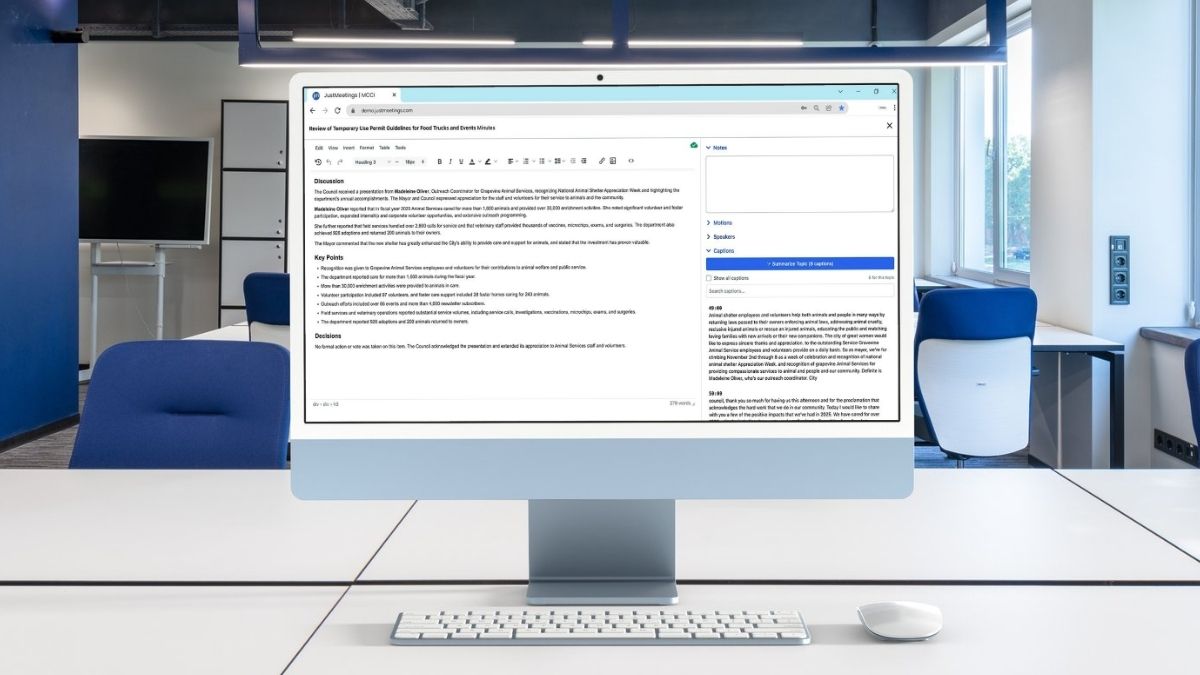
Say goodbye to typing minutes in real-time or memory
Writing minutes shouldn’t mean piecing together what happened from notes, memory, and a recording you have to scrub through after the fact.
JustMeetings captures motions, votes, and key moments live, then feeds that data directly into your minutes template, so you’re editing and finalizing instead of building from scratch.
Daily detours...
- Reconstructing what happened from memory or reading your scribble notes
- Retyping the same motion wording, meeting after meeting
- Chapter markers that are always a little off because two clocks don't match
But with more good days...
- Motion, vote, and note data already captured live, ready to drop in
- AI-generated summaries per item, based on live captions when transcription is running, fully editable
- A one-click way to shift every chapter marker into sync at once
- A reviewed toggle tracks progress through even the longest agenda
- Minutes searchable item by item, right alongside the report and video
- Redlined action items publish before the full minutes are even finalized
What if you could...

CUT THE RISKS
Eliminate transcription errors between what happened live and what's in the official record?

SKIP THE BUSYWORK
Populate motion text, vote tallies, and mover and seconder directly into your minutes?

GET THE HELP YOU NEED
Publish redlined action text straight to the public digital agenda with a checkbox?
Meeting Minutes Builder
The best meeting minute builders minimize manual re-entry by connecting directly to what happened live, motions, votes, and discussion, rather than starting from a blank template.
Workflow
From Draft to Public in Seconds
A "reviewed" toggle tracks progress with a live preview. Manual overrides are always available.
Instant Capture
Motions & Votes
Motion text, mover, seconder, and vote tallies feed in automatically, full-tally or dissent-only, using reusable name-placeholder templates or full manual control.
Compliance
One-Click Duplication
Bookmark and duplicate recurring items, formatting included, so staff edit existing content instead of rebuilding it.
Automagic
AI-Assisted Minutes Drafting
Finally, minutes that write their first draft themselves! When live captions are running for a meeting, a single button generates an editable summary for any item or group.
Readability
Manual Fallback,
No live transcription for a meeting? Type minutes the traditional way, live with each item, motion auto-fill, notes, chapter sync, working exactly the same.
Searchable
Chapter Markers, Synced and Smart
Shift marker into alignment at once or correct one at a time, with consent-calendar blocks getting a single marker.
Compliance
After the Meeting Ends
Add supplemental materials to the record, and auto-publish redlined action outcomes before the full minutes are even finalized.
Approvals
Template-Embedded Signatures
Required sign-off images appear automatically, without needing to add them each meeting.
Frequently Asked Questions
No, the AI generates a starting point based on live captions, which staff can edit, trim, or rewrite before finalizing. It's a head start, not an autopilot.
Only when live transcription is running for that meeting, through the platform's own streaming service or a compatible live captioning source. Without captions, there's no transcript for the AI to summarize, so the clerk types minutes manually instead. Everything else on this page, motion auto-fill, notes carryover, chapter sync, works the same regardless of whether AI summarization is available.
Full tally records every member's individual vote and is required in states like California; a shorter dissent-only format is available where state law permits it.
A sync tool lets staff nudge the first chapter marker into place, then apply that same offset to every marker afterward in one action, rather than fixing each one by hand.
Yes, a signature image (a mayor's or clerk's) can be built directly into the minutes template so it appears automatically every time minutes are generated.