
Staff Homepage
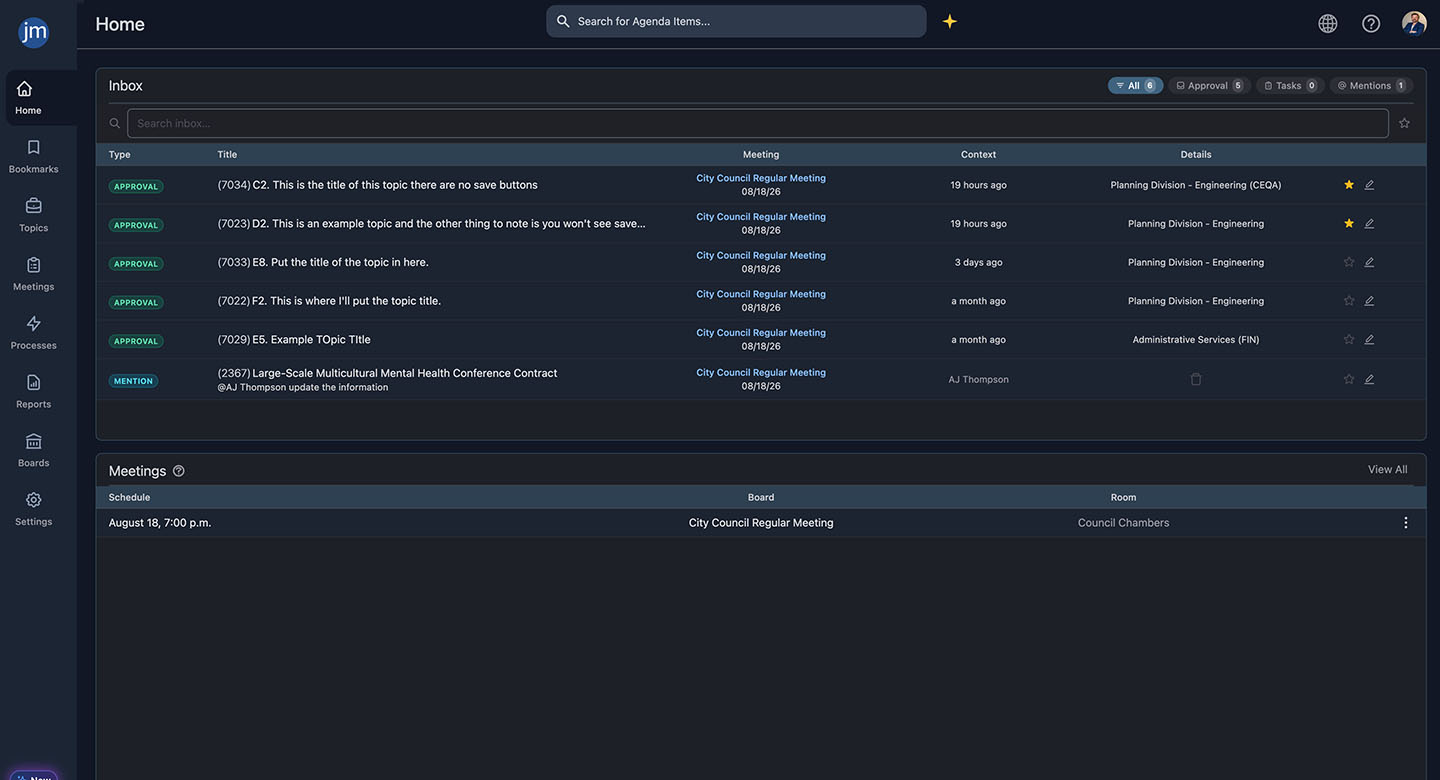
One home page for everything on your plate. Assignments, approvals, tasks, and mentions, all in one searchable view.
Say goodbye to the scavenger hunt
Your to-do list shouldn’t live in five different places. Between email, sticky notes, shared drives, and a dozen open tabs, keeping track of what needs your attention today shouldn’t be a job in itself.
JustMeetings gives every staff member a single home page that surfaces exactly what’s assigned to them, nothing more, nothing less. No digging. No guessing what you might be missing.
Daily detours...
- Missing approval deadline because nothing flagged it
- Losing track of a quick thought or reminder on an item
- Confusing forms produce bad submissions
- Any update requires a call to your vendor or IT
But with more good days...
- Complete, accurate data arrives from the start
- Fields auto-populate from your existing databases
- Staff can make changes without waiting on anyone
- Applications route automatically to the right reviewer
What if you could...

CUT THE RISKS
Never miss an approval deadline buried in an inbox again?

SKIP THE BUSYWORK
Stop checking five different tabs to find out what you're behind on?

GET THE HELP YOU NEED
Get a private place to track your own notes and reminders on any item?
Staff Dashboard
A staff dashboard is the single screen a user lives in day to day, the place that answers “what do I need to do right now” without requiring them to dig through the rest of the platform. Done well, it becomes the default home base for everyone on staff, not just clerks.
Global Search
One Search Bar. Every Record.
A global search across current data at once, with results linking straight to the underlying report, attachment, or video clip.
Personal Notes
Your Notes Stay Yours.
Private personal notes visible only to the user who wrote them, so nothing you jot down while thinking through an item ever surfaces to colleagues.
Filters
Tag It Once, Find It Forever.
Tag items the way you'd tag a social media post, by fiscal year, contract number, or ordinance number, then filter the whole topics list by that tag from any board.
Notifications
Know Changed in an Instant.
A notification appears right on the dashboard. Staff never have to rely on a separate announcement to know something's different.
Frequently Asked Questions
No. Personal notes are visible only to the user who wrote them. Not other staff, not approvers, not admin users. They're a private space, by design.
The inbox is built to stay usable at volume: free-text and date-based search let staff filter down to exactly what they need rather than scrolling a long list.
Most agencies report the dashboard is the most intuitive part of the platform, since it mirrors patterns staff already know from email (starring, filtering, search).