
Live, In Session Voting
Motions, votes, and minutes, all connected, all in real time.
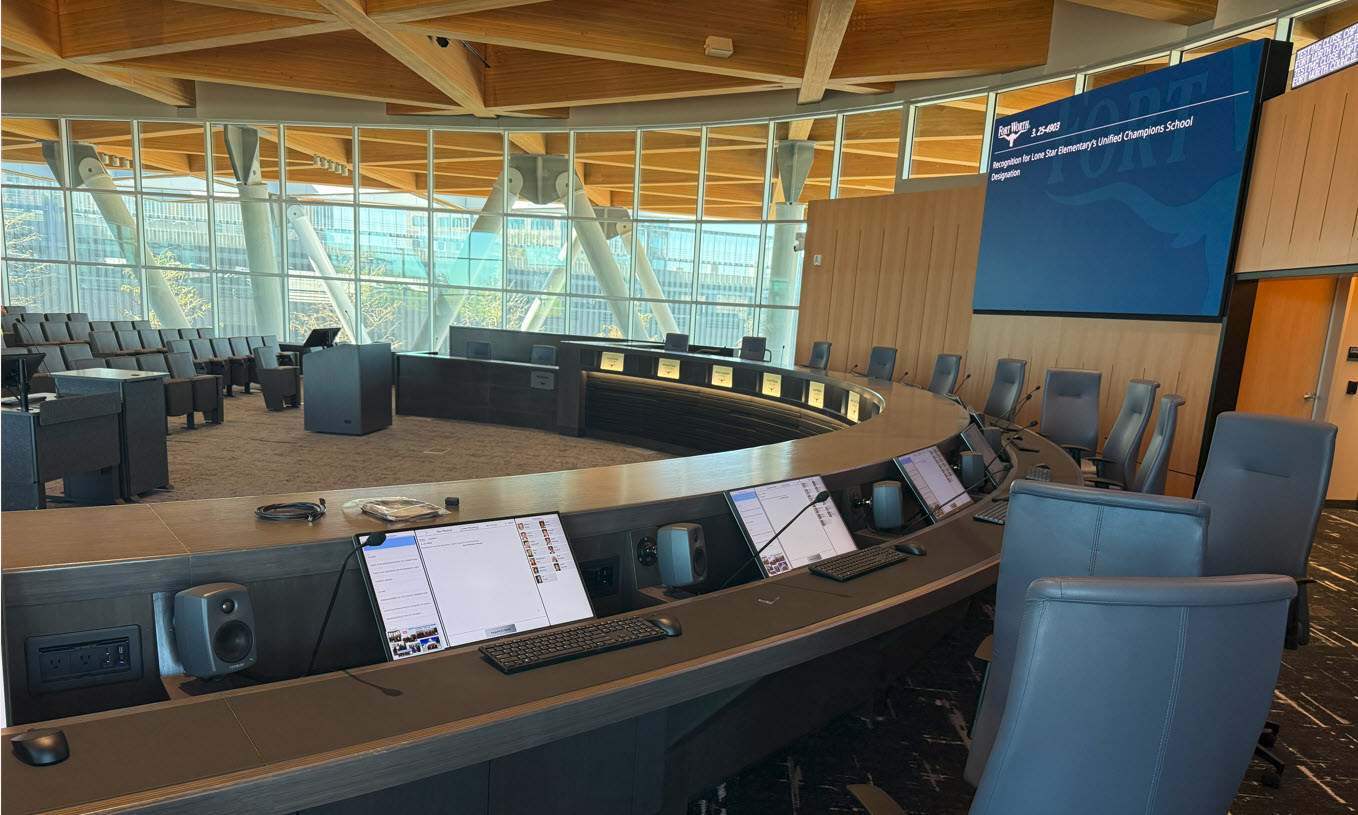
Say goodbye to manual vote tallying
Recording votes shouldn’t mean someone hand-transcribing tallies into the minutes after the fact, hoping nothing got mixed up along the way.
JustMeetings voting captures motions, seconds, and vote results live, then automatically feeds that data straight into your minutes.
Daily detours...
- Hand-transcribing vote tallies into minutes after the fact
- Needing a full dais hardware retrofit just to vote digitally
- A generic motion list that doesn't match your procedure
- Board members fumbling for a forgotten password minutes before the meeting starts
But with more good days...
- Motion and vote data feeds straight into minutes
- Voting runs on iPads or devices at the dais or anywhere
- A configurable motion list that matches your procedure
- Built-in timers track discussion time without a separate stopwatch
- On-screen displays match your own branding
- The clerk logs everyone in, no passwords for board members to remember
What if you could...

CUT THE RISKS
Keep vote results hidden from the public and board until the vote officially closes?

SKIP THE BUSYWORK
Populate your meeting minutes with motion text, mover, seconder, and vote tallies?

GET THE HELP YOU NEED
Recused or absent members without manually adjusting every single vote?
Official Voting
JustMeetings voting captures motions and votes during a live meeting and connects those results to the official record, the minutes, in a way that’s accurate, auditable, and fast.
Voting
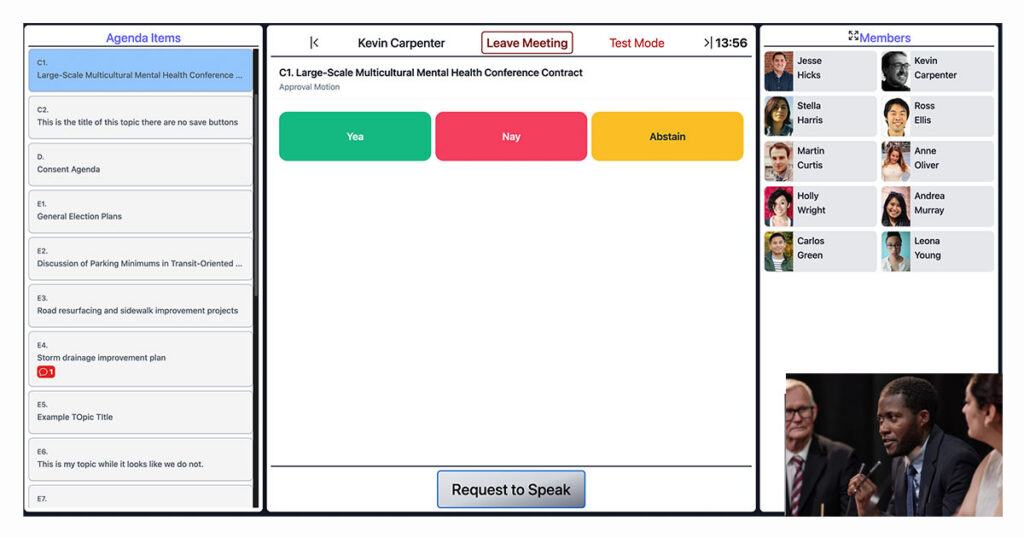
When the vote opens, members receive options, such as yea, nay, or abstain. Votes can be changed until the clerk ends the vote. The clerk sees which members have voted, without seeing how, and can prompt a member who hasn’t.
Voting Results
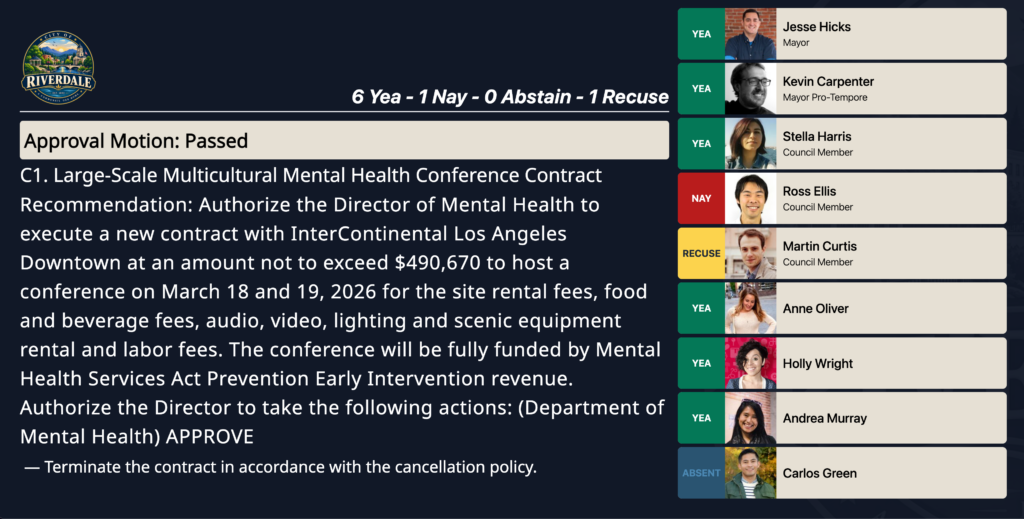
Results remain hidden from the public and the board until the vote closes, with an optional live view for a deciding-vote mayor, and recused or absent members can be marked individually or automatically for the rest of the meeting.
Easy-to-Use
No Passwords at the Dais
Board members never log themselves in or type a password. The clerk logs everyone in based on seating assignment, on already-registered devices; a member just taps a button and they're in.
Security
Secure Remote Access
A board member joining virtually instead of in person authenticates through a dedicated virtual meeting link with its own passcode, separate from the in-room device registration.
Compliance
Device-Based, Day One
Runs on iPads or similar tablets with picture-in-picture support, no dedicated dais hardware required, with roll call recorded automatically the moment a meeting starts.
Procedures
Motions Match Your Needs
Add, second, and chain motions, including amendments, with custom wording and an agency-configured motion type list, and reopen or edit a motion or vote after the fact without rerunning the meeting record.
Live Topics
Handled Automatically
Live topic timestamps moments that aren't formal agenda items, and closed session recording and broadcast behavior adjust automatically, then resume right after.
Time Tracking
Timers Built Into the Room
Configurable countdown timers on the main screen, podium, or presentation overlay, with a per-meeting default and per-item override.
Frequently Asked Questions
Install hardware, not technically. Voting can run on iPads or similar tablets from day one, with the option to add dedicated dais hardware later if budget allows.
Yes, staff can reopen and correct a motion or vote directly rather than needing to rerun the meeting record.
Yes, available motion types (to approve, to table, to amend, and so on) are configured per agency rather than fixed.
Yes, a configurable countdown timer can display on the main screen, a podium or dais screen, or an overlay, with a default time set per meeting and an operator override available per item.
No, the clerk logs board members in based on seating assignment, on devices that were already registered ahead of time. Members just tap a button.
Access still requires a device to be registered first, a one-time process involving a URL and an access code sent to a specific recipient. Once registered, a device stays tied to that seat unless its storage is wiped, at which point it has to be registered again.